
Recent Works – 2023
OmniHR – Add Employee Form Redesign
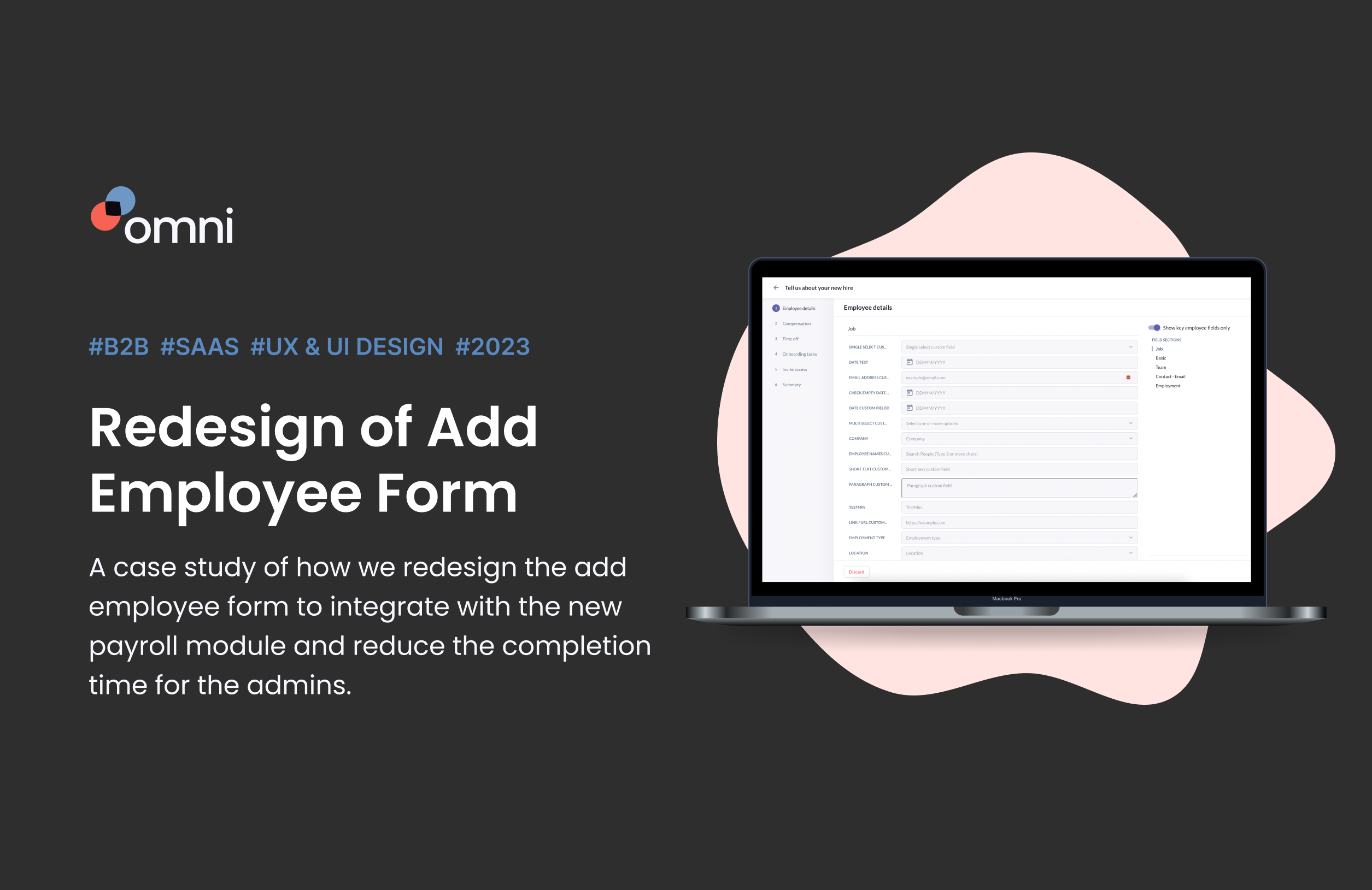
Project Overview
My Challenge
Users have requested that the add employee form integrate with the new Payroll module to enable seamless enrollment of new hires into payroll during onboarding, as the current need to switch modules disrupts the workflow.
The form also has persistent UX issues, including an overwhelming layout with too many sections, low affordance for key fields, and confusing, non-functional elements like clickable-looking days in the schedule section. Additionally, the layout’s focus on adding tasks overshadows underutilized workflow templates, further complicating the user experience.
Solution
We redesigned the flow of adding a new employee into the system by integrating with the new payroll module and fixing the UX issues, making it more streamlined.
It was projected to reduce completion time by 25% and increase customer satisfaction, leading to more word of mouth marketing
My Role
Research, wireframing, interaction design, UI design
Cross-Functional Team
1x Product Designer, 2x Product Managers, 4x Developers and 2x QAs Engineers
Problem Statement
Since releasing the new Payroll module, the users have been requesting for the add employee form to integrate with it, so they can enrol the new hire directly into payroll while adding them into the org.
They find the flow incomplete as they need to go to another module to continue with the enrolment.The previous form had also numerous UX issues that have existed for a while now. Lots of users have complained that the form was hard to use and some items are confusing.
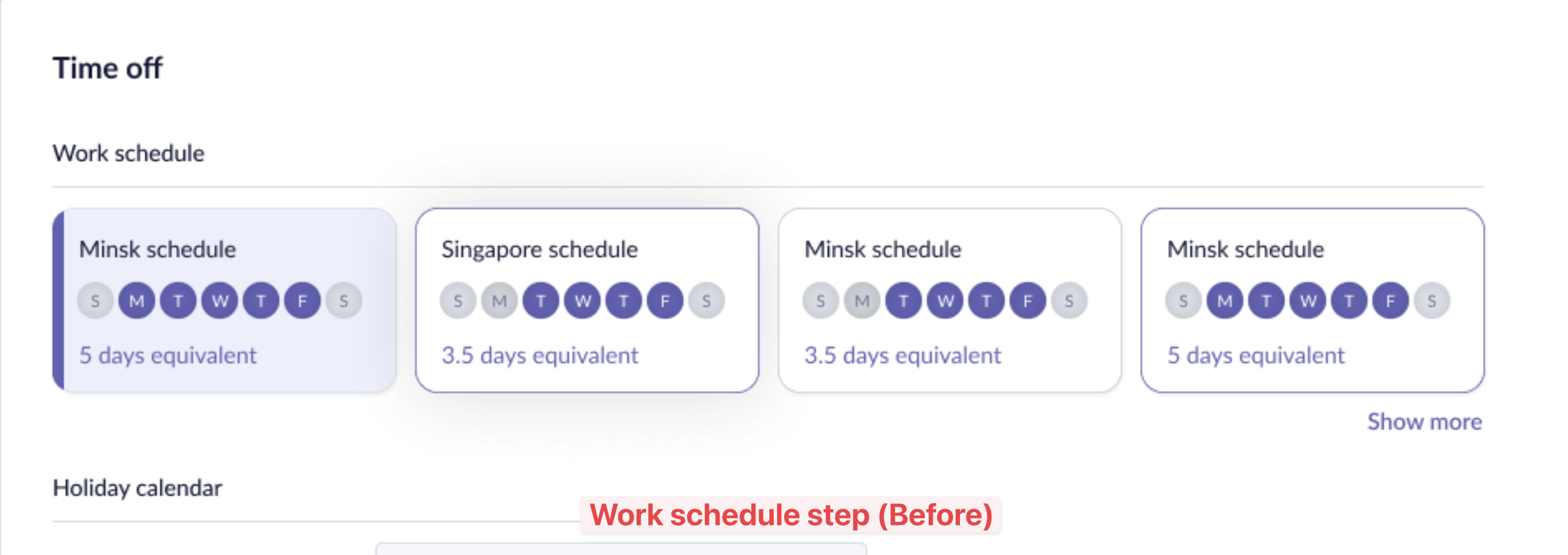
Eg. the affordance for showing all/key fields is too low -> hard to find; the form is very long -> user find it overwhelming with so many sections and details in a page; the days of the week at the schedule section looked clickable, so they got confused when they tried clicking them but nothing happened.
Workflow templates were heavily under-utilised because the the layout favored adding tasks instead.
Our co-founder started talking about the issue since the start of 2023 and we finally got to work on it in Jun 23.
As-Is Screenshots
First issue
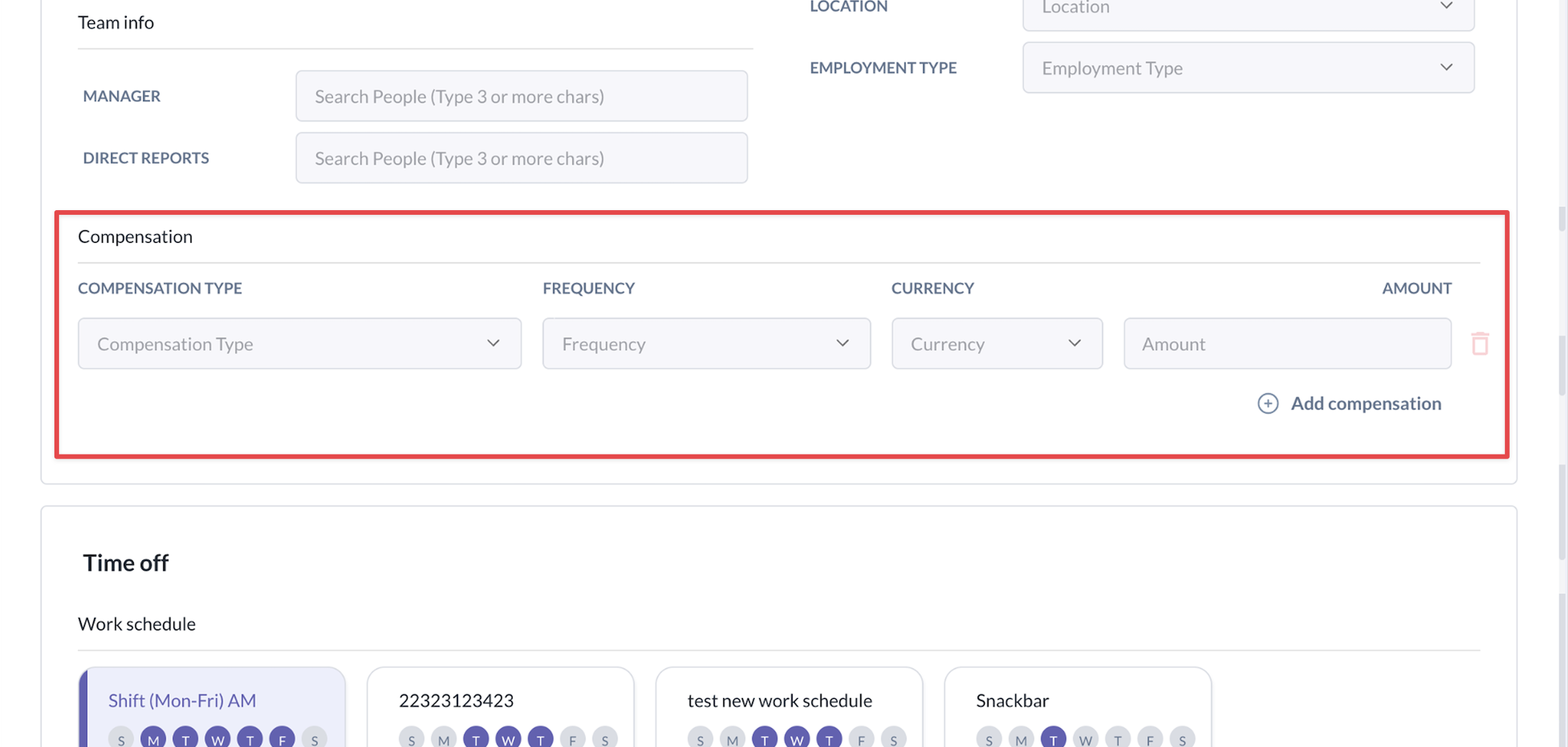
Compensation is part of previous core section, while Payroll is a completely new module that has more sections than just 3 fields.
We need to think about how to add it to the flow elegantly.
We also have to think about clients who haven’t bought the Payroll module to continue using Compensation.
Second issue
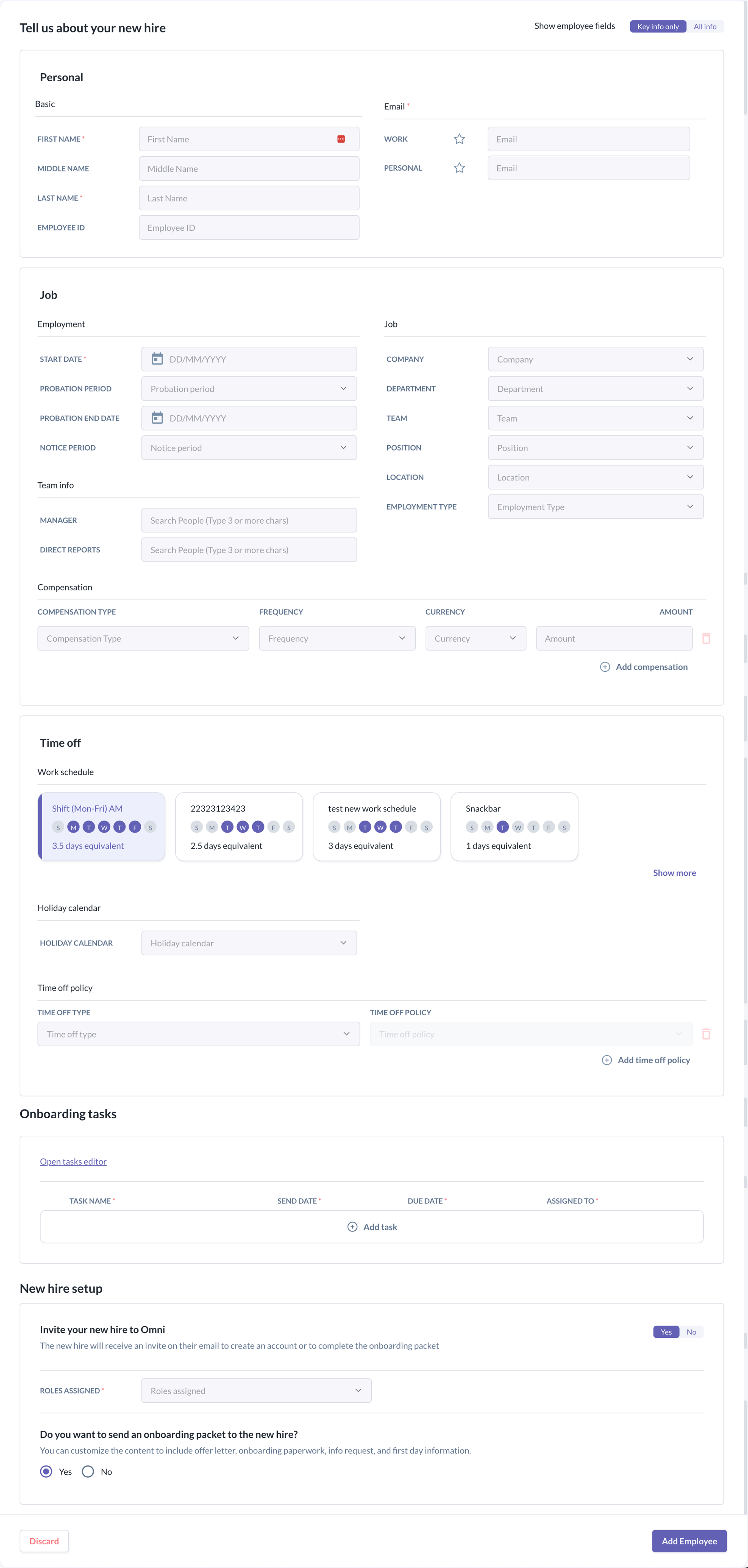
The add employee form is one long form with numerous sections. Users find it tedious to complete it and research has shown that they give up easier when it is too long.
Third issue
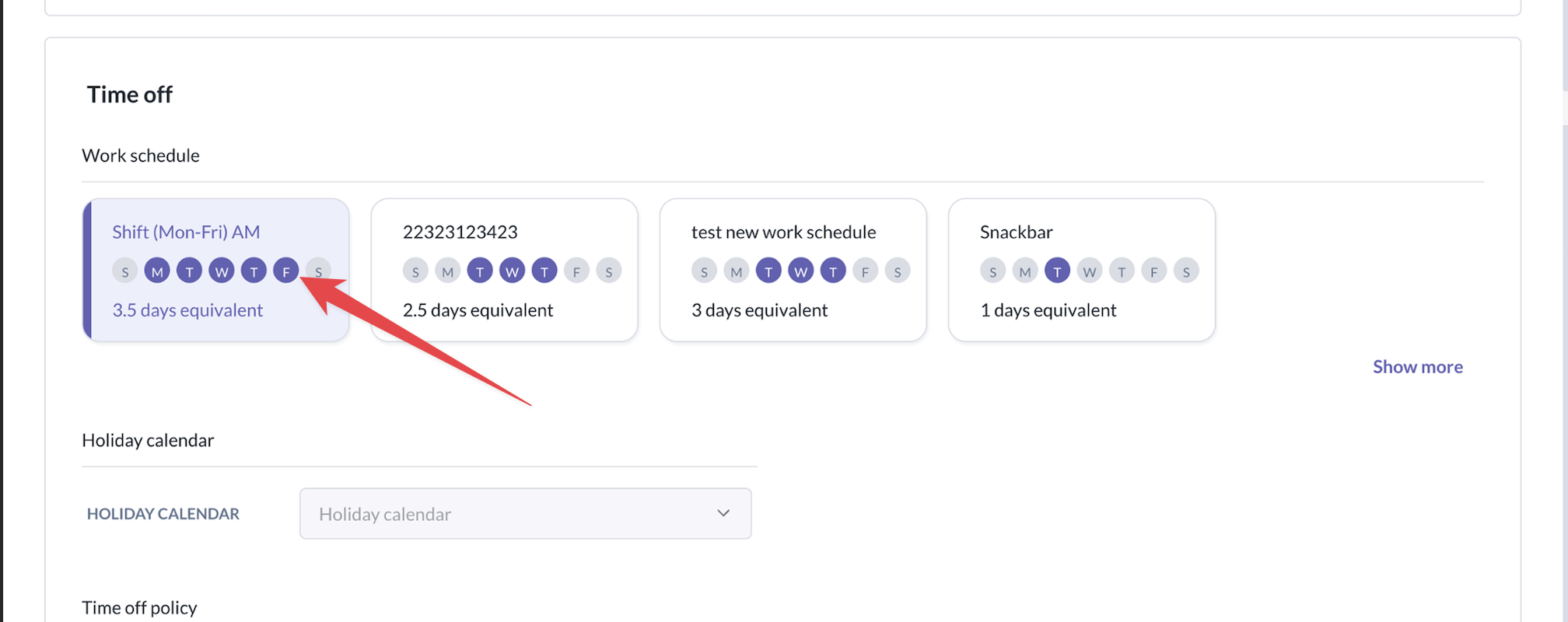
Users kept clicking on those round static icons, thinking that they are interactive.
They thought the system has stop functioning when no changes were made after repeated clicking.
Fourth issue
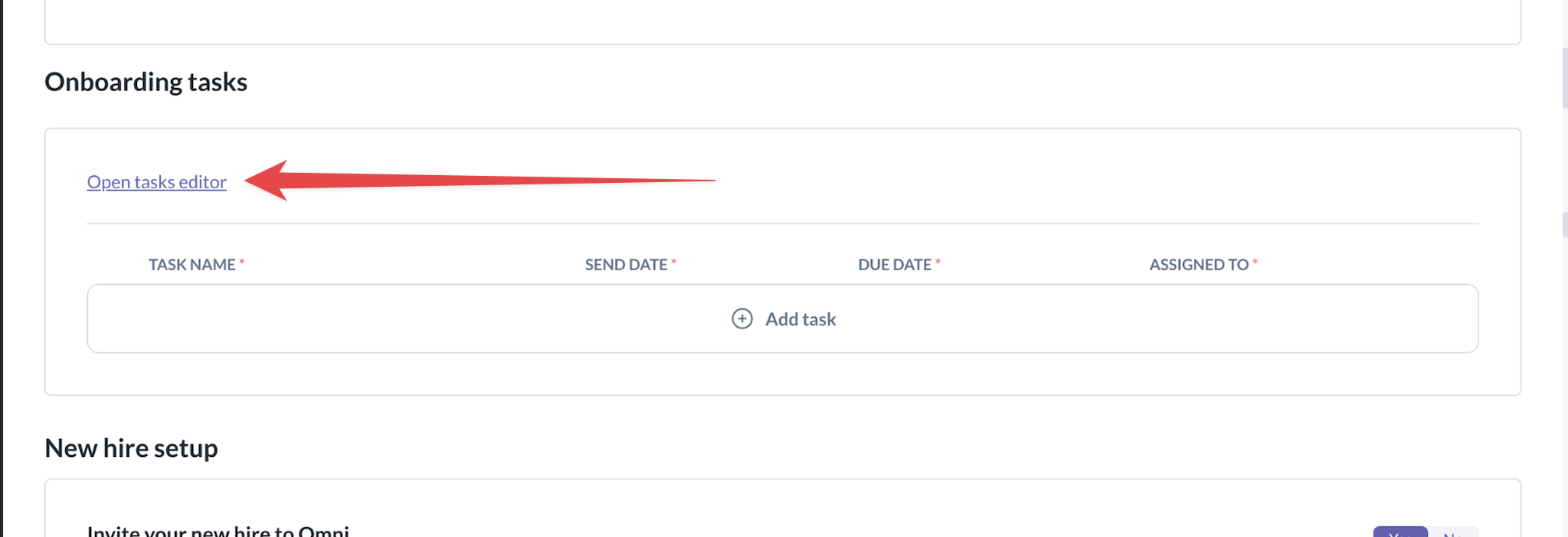
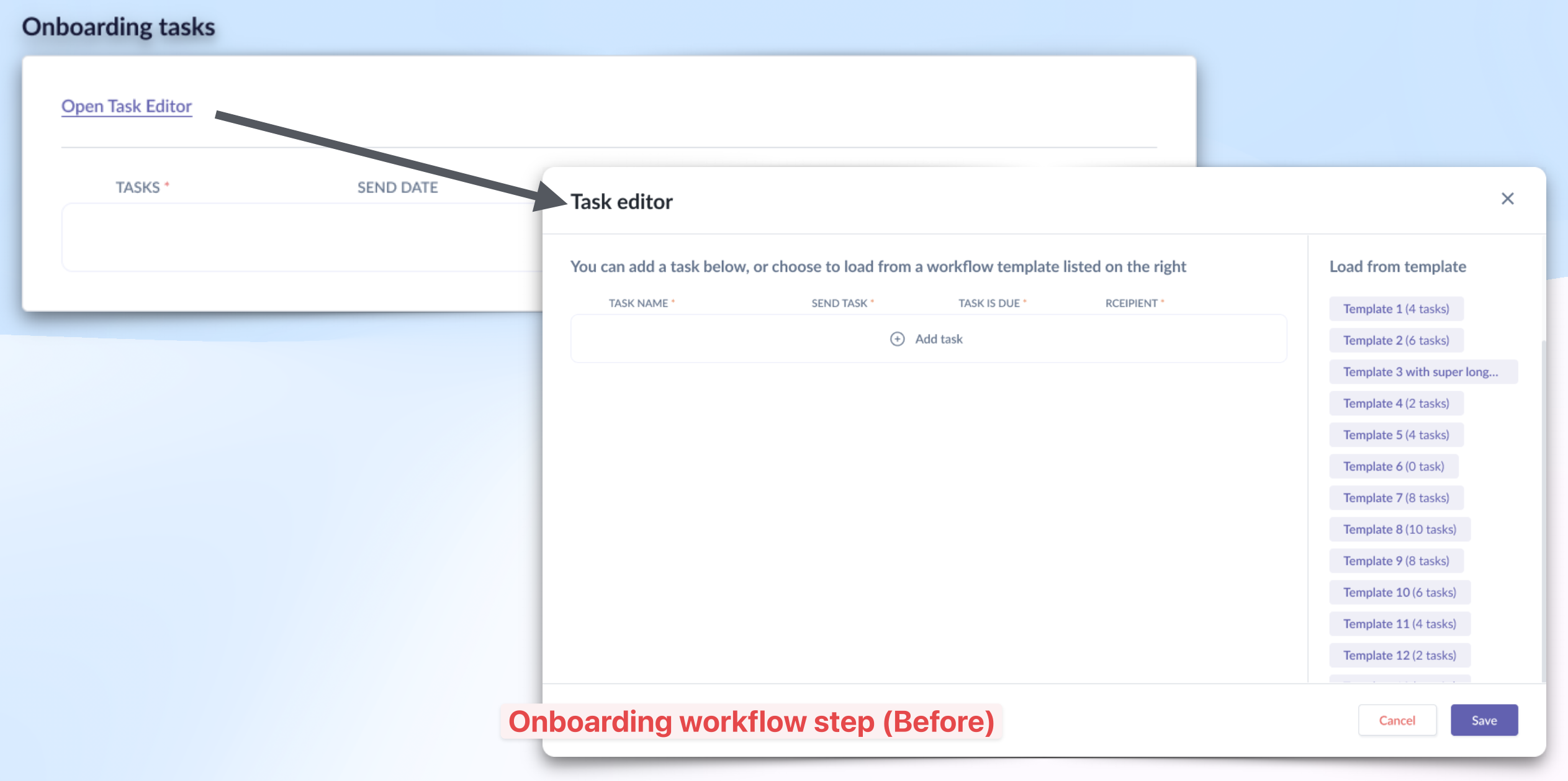
The task templates were hidden in the task editor. And itself was inconspicuously placed on the top-left corner.
The “Add task” was more prominent in the main screen, so users naturally added tasks instead of leveraging on task templates.
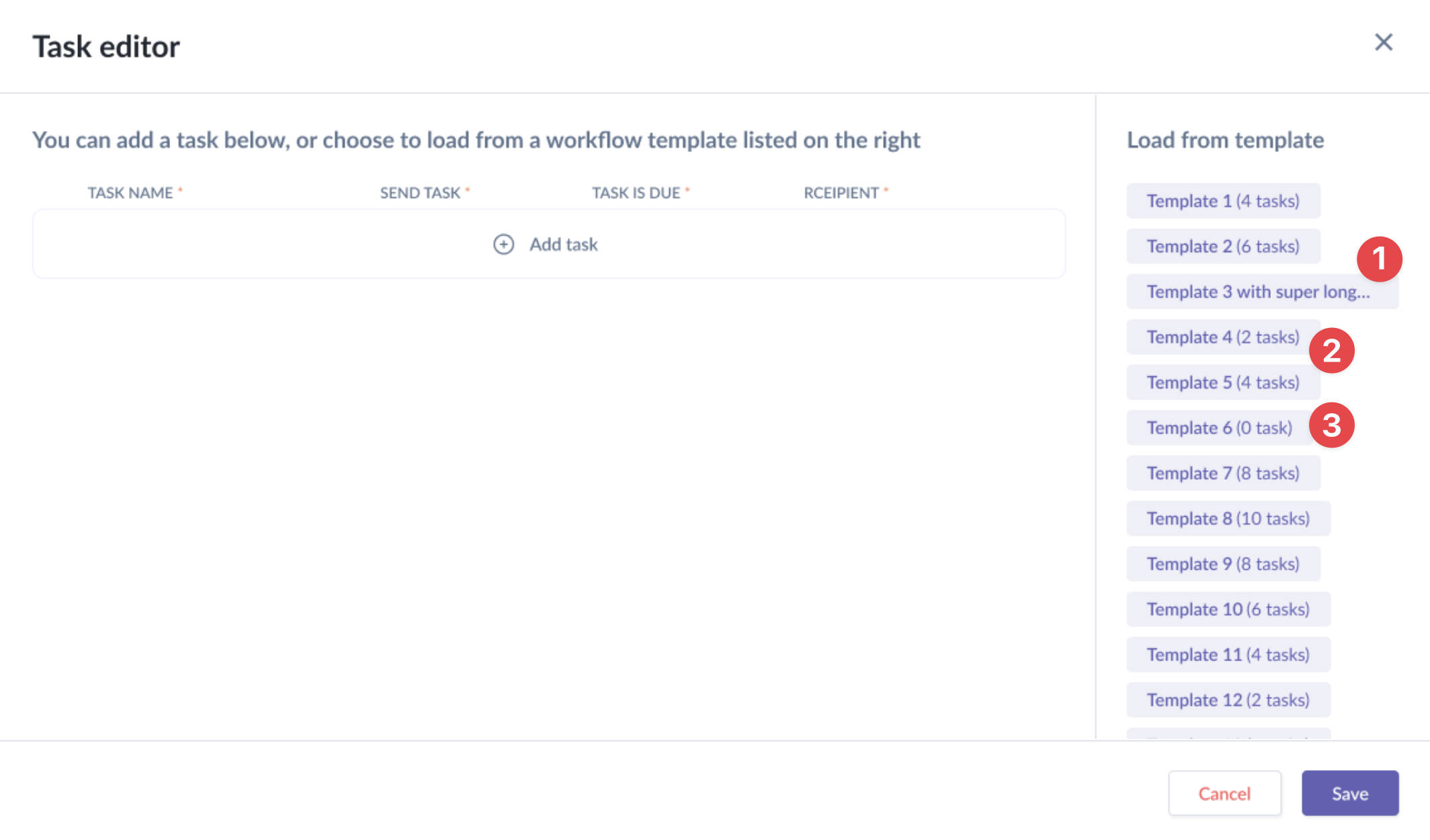
The 2 main challenges encountered by the users in the Task Editor modal:
- Couldn’t tell how many tasks were there for templates with very long name;
- Couldn’t tell what are tasks in the templates unless you load it;
- Templates with zero (0) task are also listed, taking up space.
Research
We did not conduct any formal research. Our key findings on the issues were based on customer feedbacks that were provided by the customer success (CS) team and cofounder.
The clients have direct communication line with our cofounder and the CS team have regular interactions with the clients too.
These insights led us to prioritise the redesigning of add employee flow as the crucial part of the roadmap.
STEP 1
Brainstorm – User flow
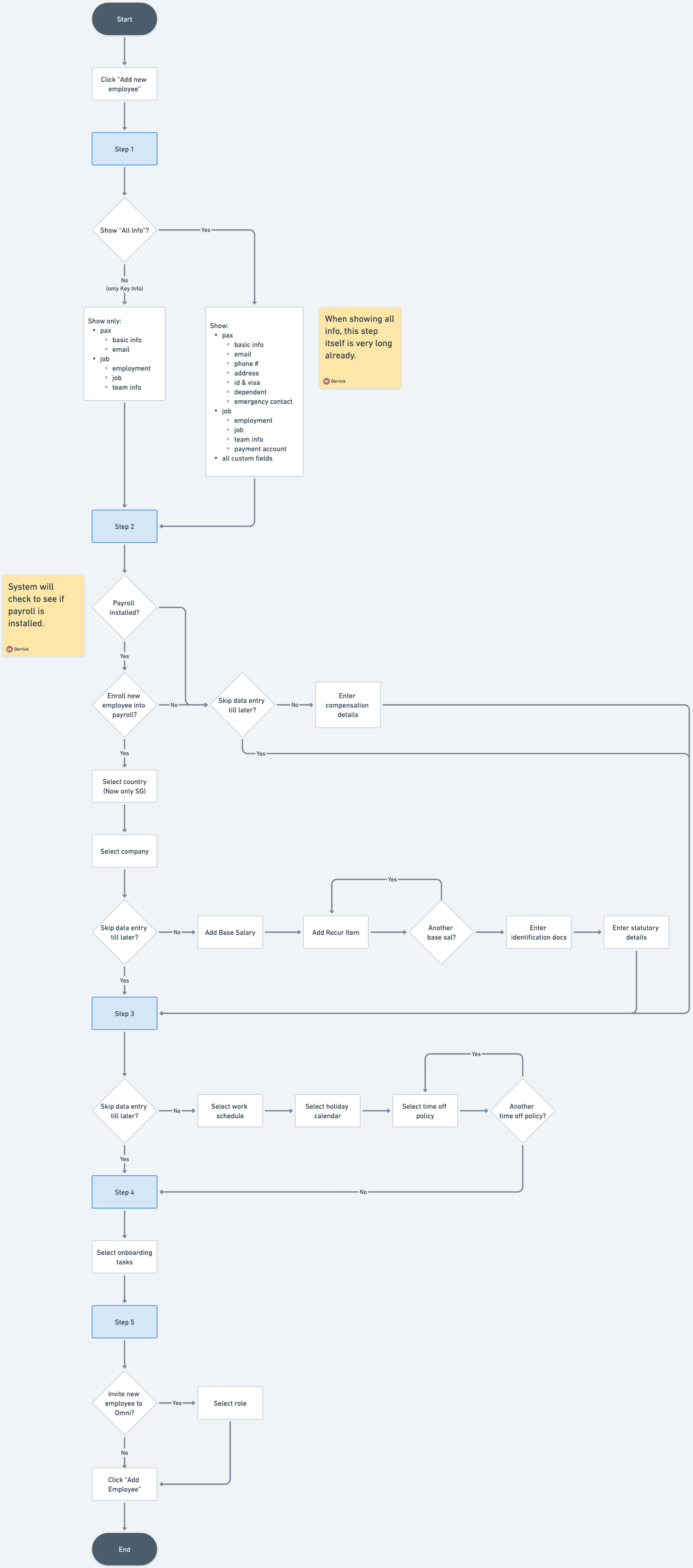
I mapped the new add employee form journey with the new step of enrolling the employee into a payroll org.
Key improvements:
- For clients who did not purchase the payroll module, they can still use the existing compensation section;
- For clients who purchased it, they can opt to enrol the new employee into payroll or use existing compensation.
- If they choose to enrol, then there are additional payroll fields to populate.
- Admin can choose if they wish to send onboarding tasks to new employee.
STEP 2
Wireframes/Lo-fi
For this redesign, I worked primarily with a mix of wireframes and lo-fi screens on Figma as I have some ideas about how the new add employee form might look like – stepper flow.
Personal details step
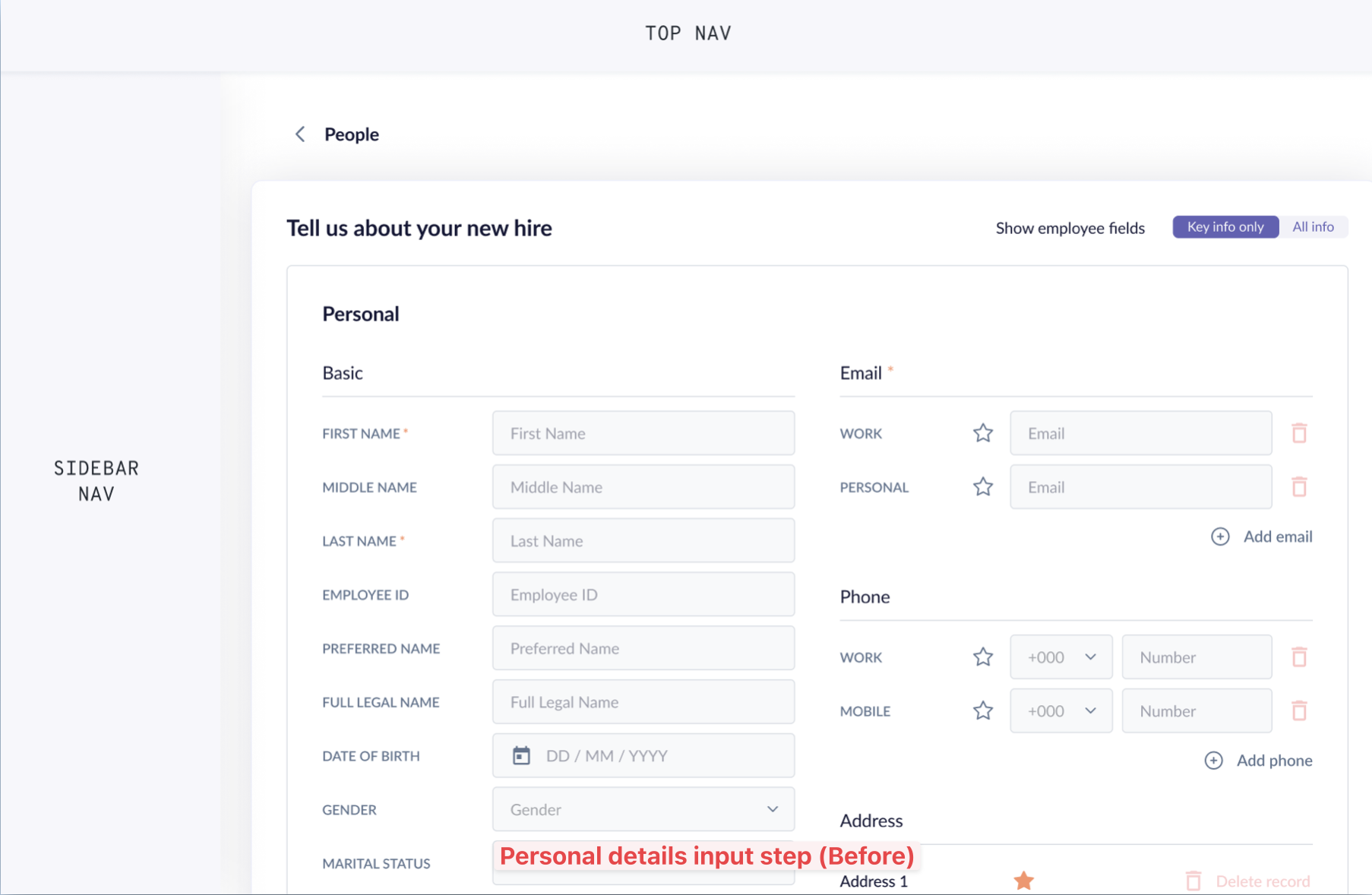
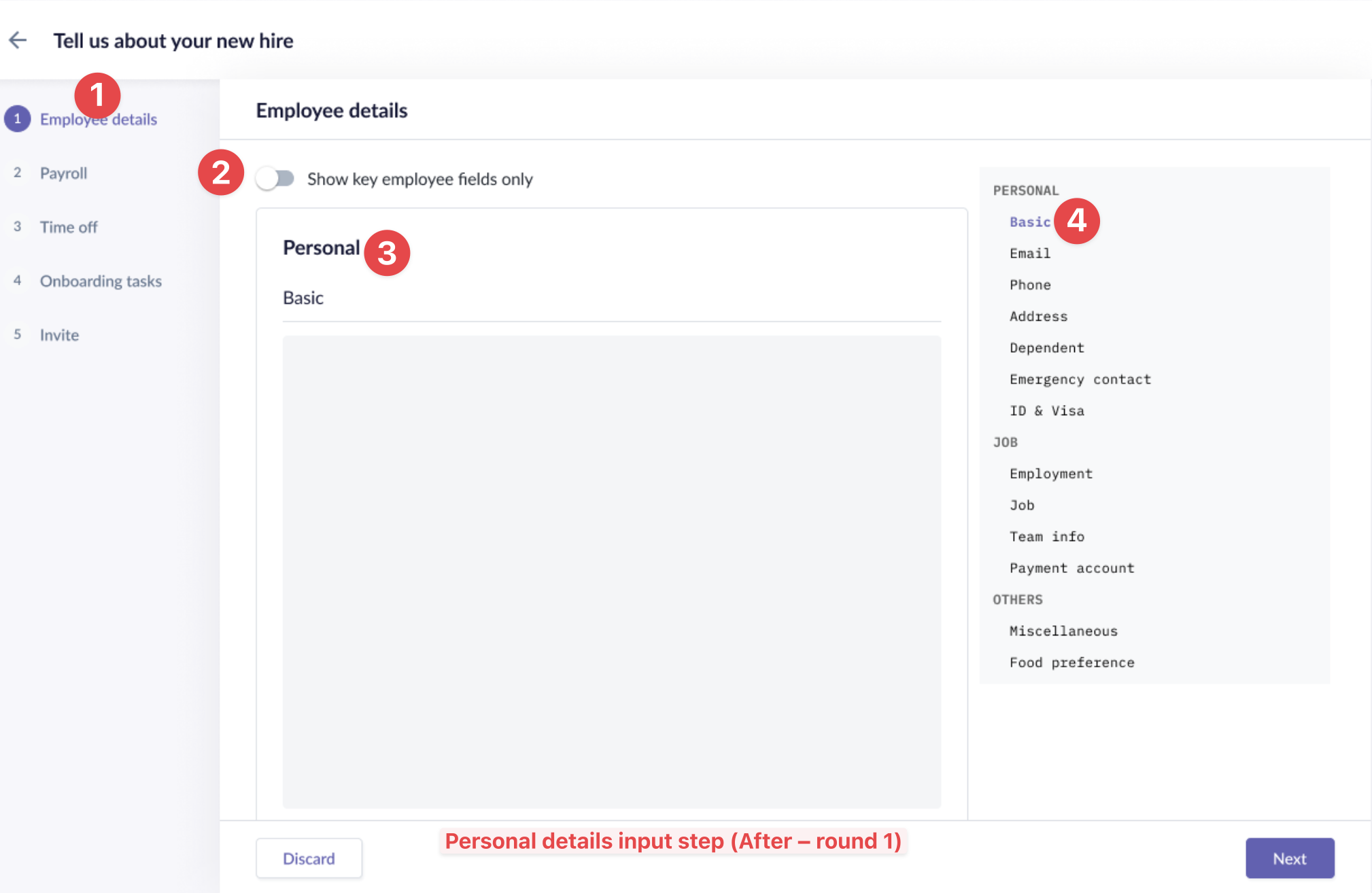
Lofi redesign round 1:
- Added stepper element from another module for the multi-step flow.
- Inserted a toggle to show all or only key employee fields.
- 1.Each section (personal, job, others) contained within a card with their own sub-sections.
- Quicklinks to every section on the sticky side panel.
Feedback:
- Although the toggle is more prominent above the sections, it doesn’t work well as it needs to be sticky so admin can access at any time. It would work better to be with sticky side panel.
- We would no longer classifying by Personal, Job and Others. Which means all the sub-sections will move up and be main sections.
- Having the quick links in the container with coloured background seemed redundant, and the active section indicator is not obvious enough.
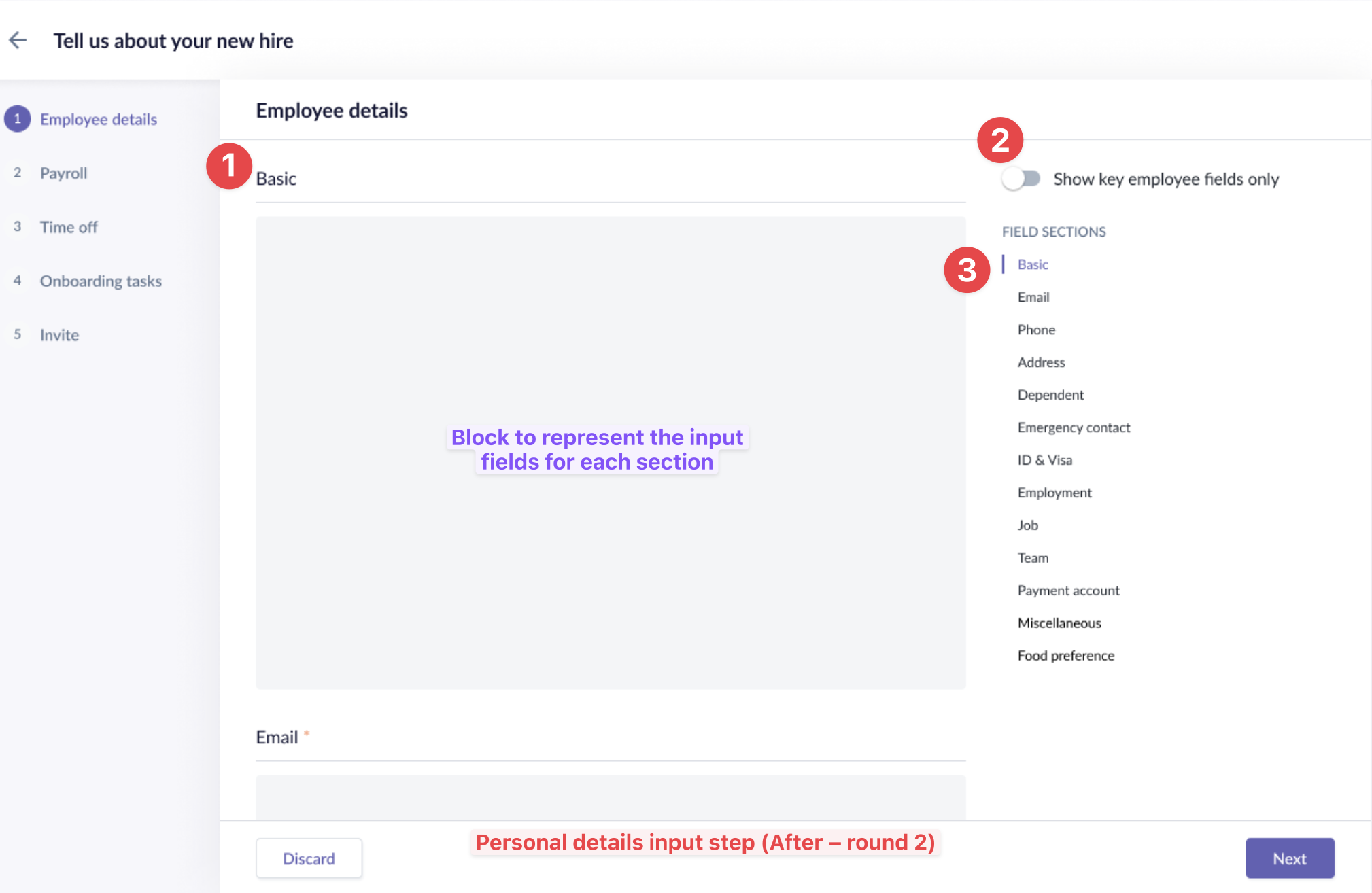
Lofi redesign round 2:
- Removed the box to free up more space for the inputs fields; increased spacing between sections.
- Move toggle to the sticky side panel
- Removed the container; added accent bar to active section; increased spacing between links.
Compensation/Payroll step
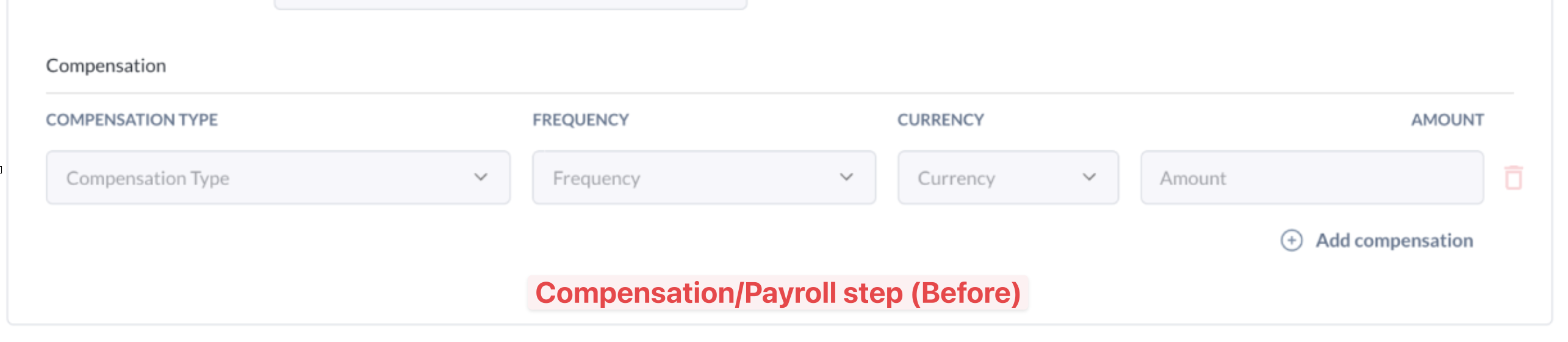
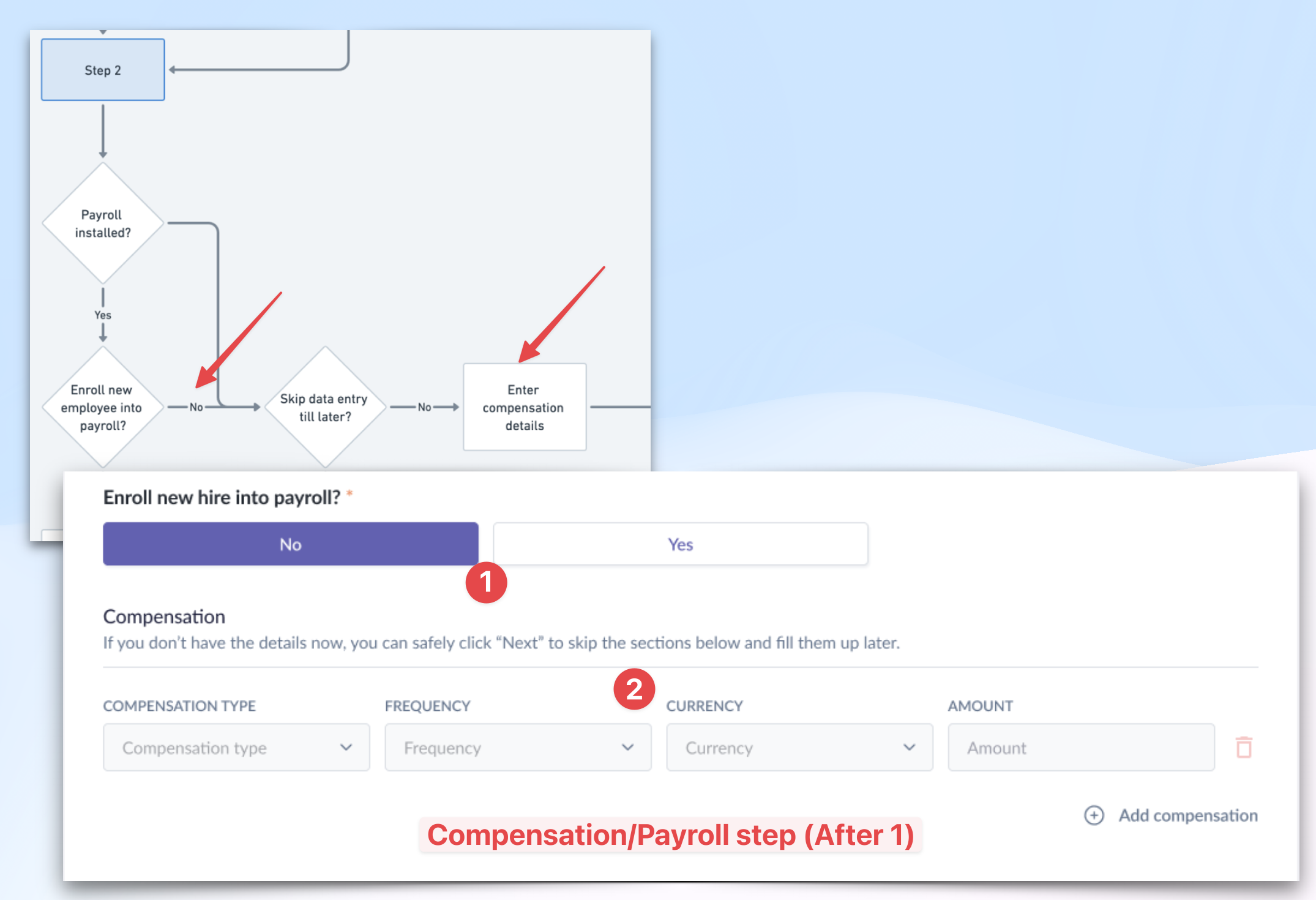
Lofi redesign 1:
- At this step, system asks the user if she’d like to enroll the new hire to the payroll module or not.
- If No is selected, then she continues to fill up details for the compensation section.
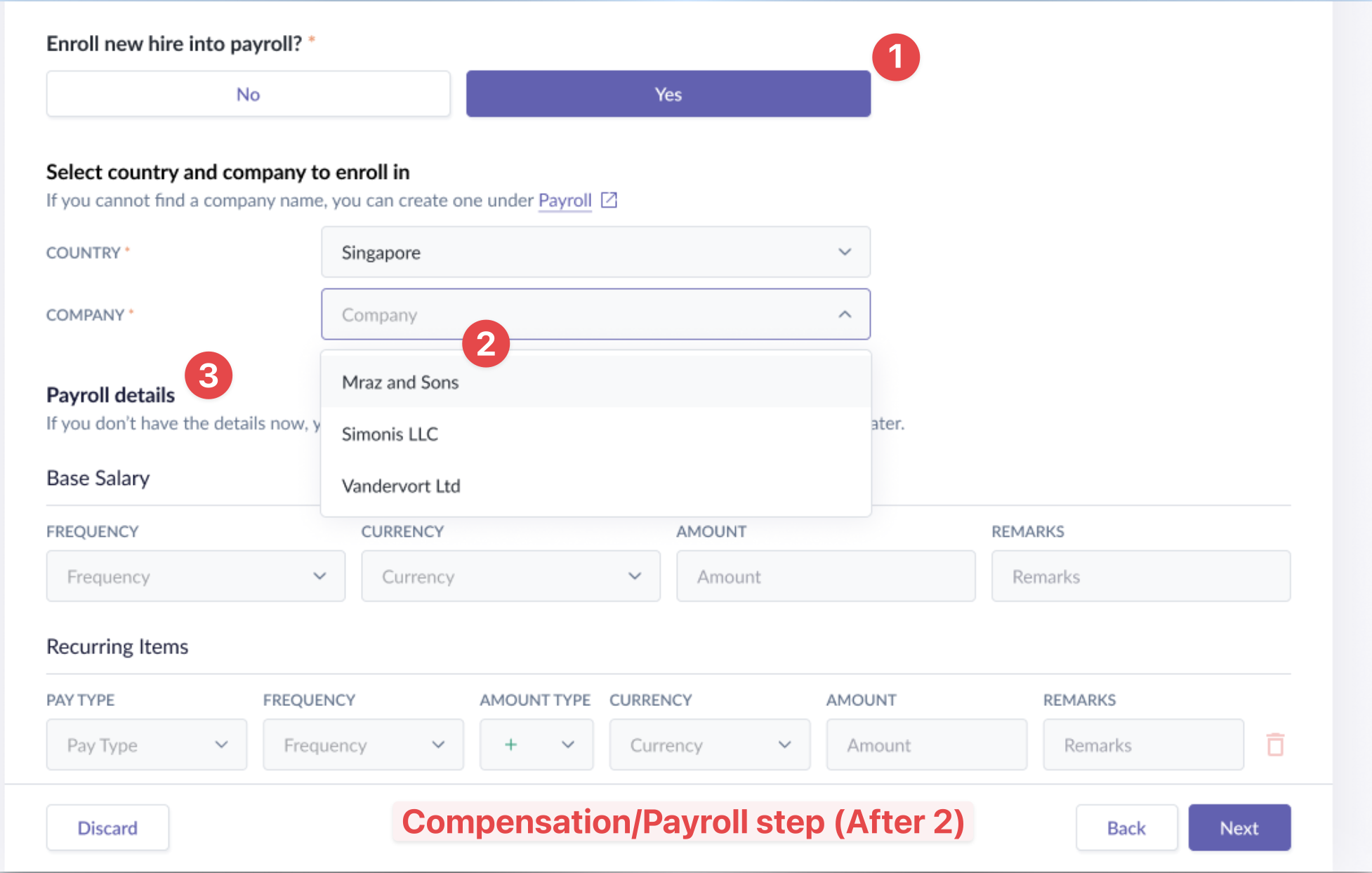
Lofi redesign 2:
- Admin needs to decide the payroll company for the new hire.
- The area below refreshes to show 2 sections: a) selecting the payroll country and company;
- And b) entering the Payroll details: Base salary and Recurring Items.
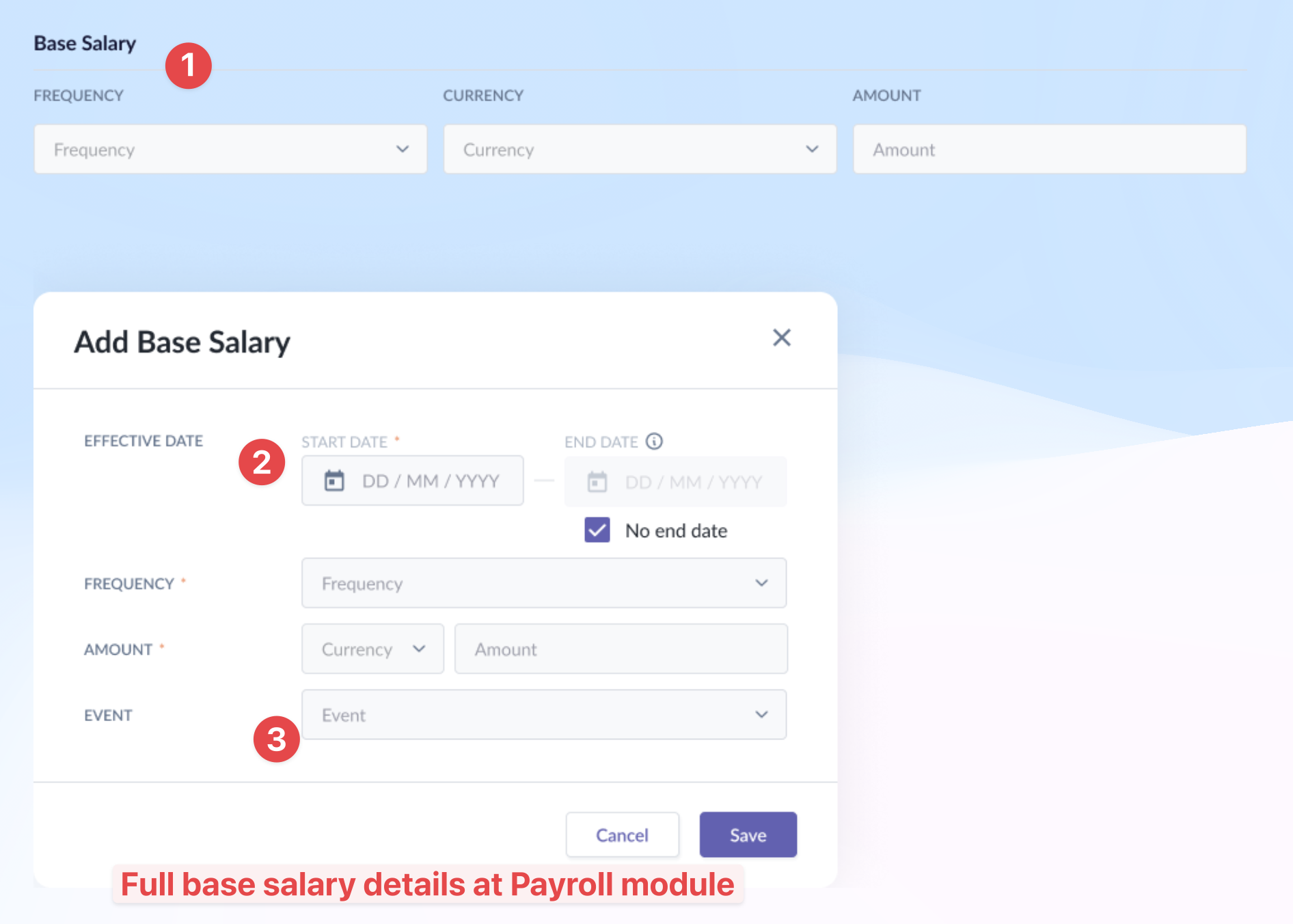
Design decisions taken:
- At the add employee form, Effective Date and Event for Base Salary are not shown but are implied via hidden logic.
- Reason: when we add a new hire, their Effective Date is the 1st day of work. This info is provided in step 1 so we can re-use that data.
- Likewise for Event, it will only be “New Hire” for new hires.
The same hidden logic is applied for the Recurring Items section.
Work schedule step
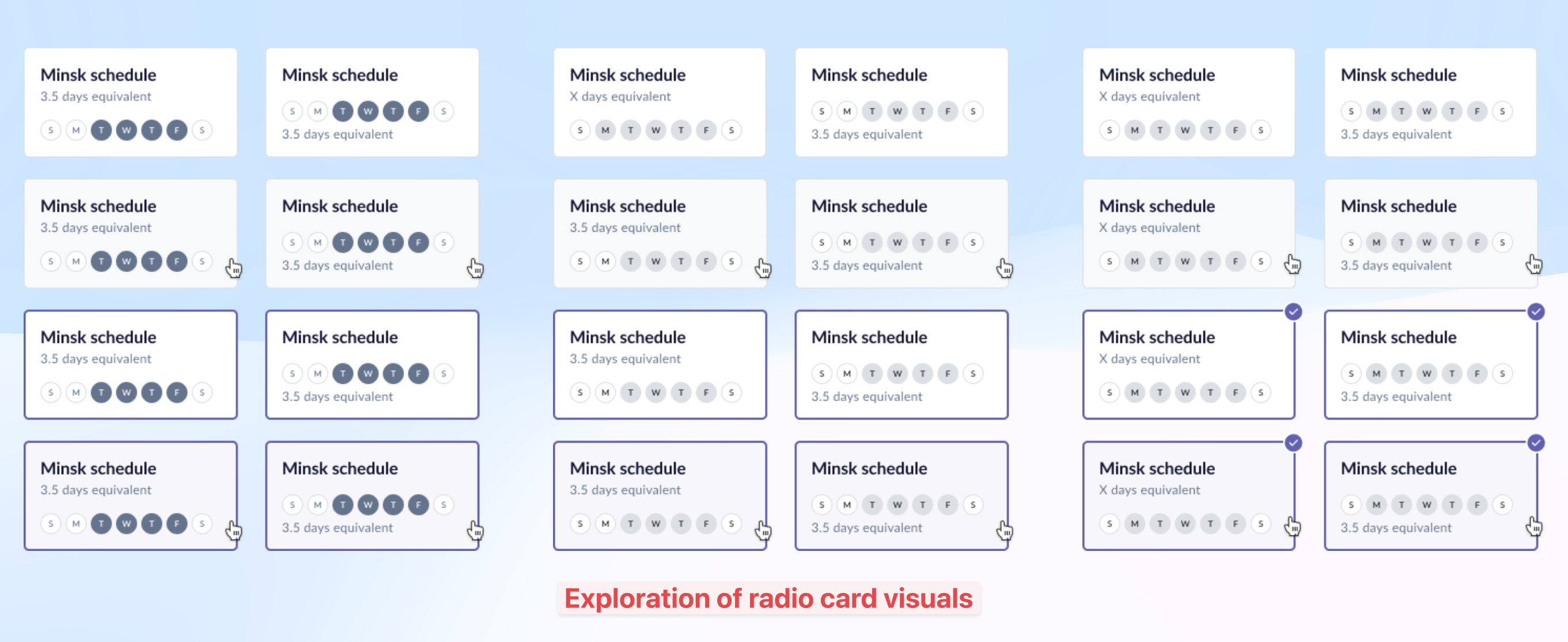
I explored various ways of presenting the work schedule in the radio card till we finalized one with the stakeholder.
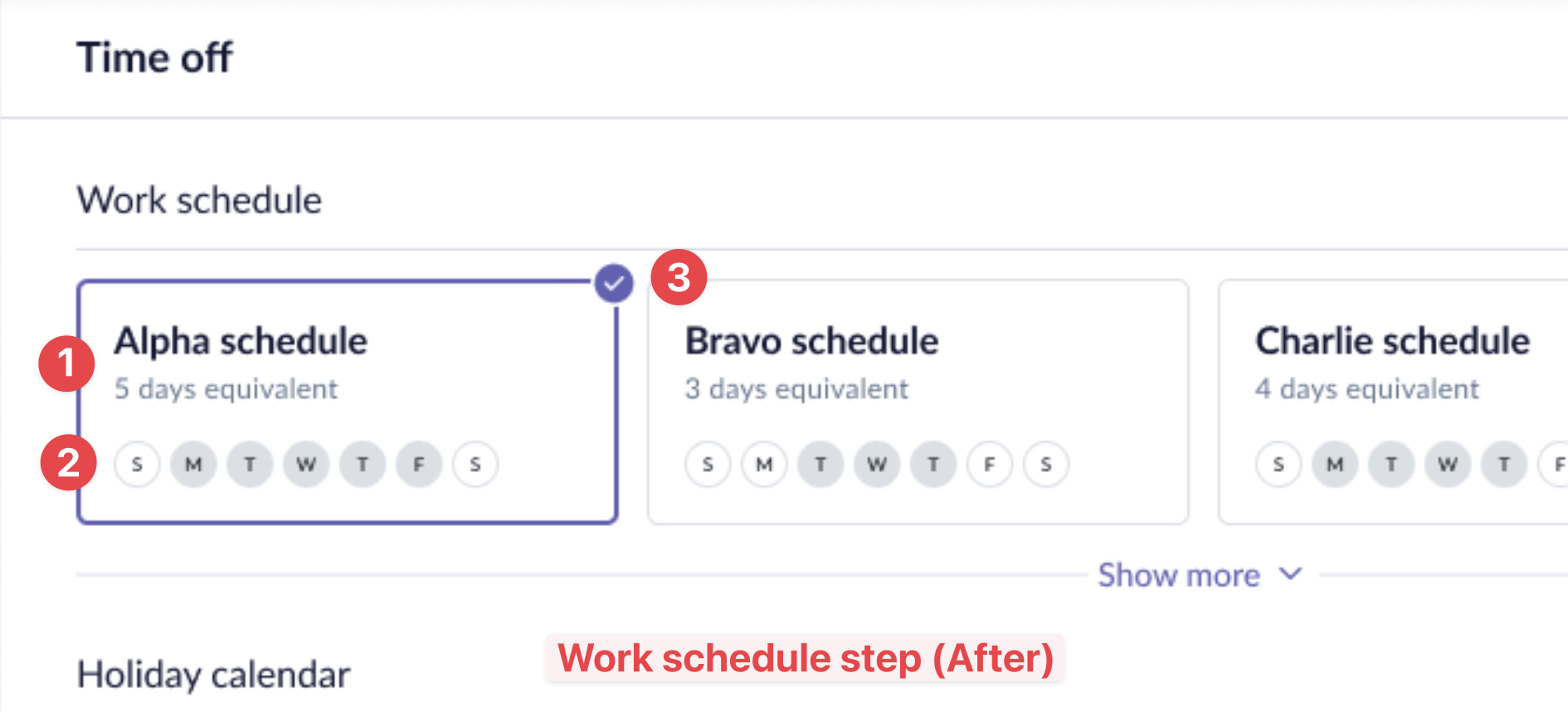
Finalized radio button card design:
- Clear hierarchy of header and subheader.
- Selected days good contrast but won’t be confused as interactive buttons.
- Refreshed radio card with a check-circle icon; also clear indication of selected state.
Onboarding workflows step
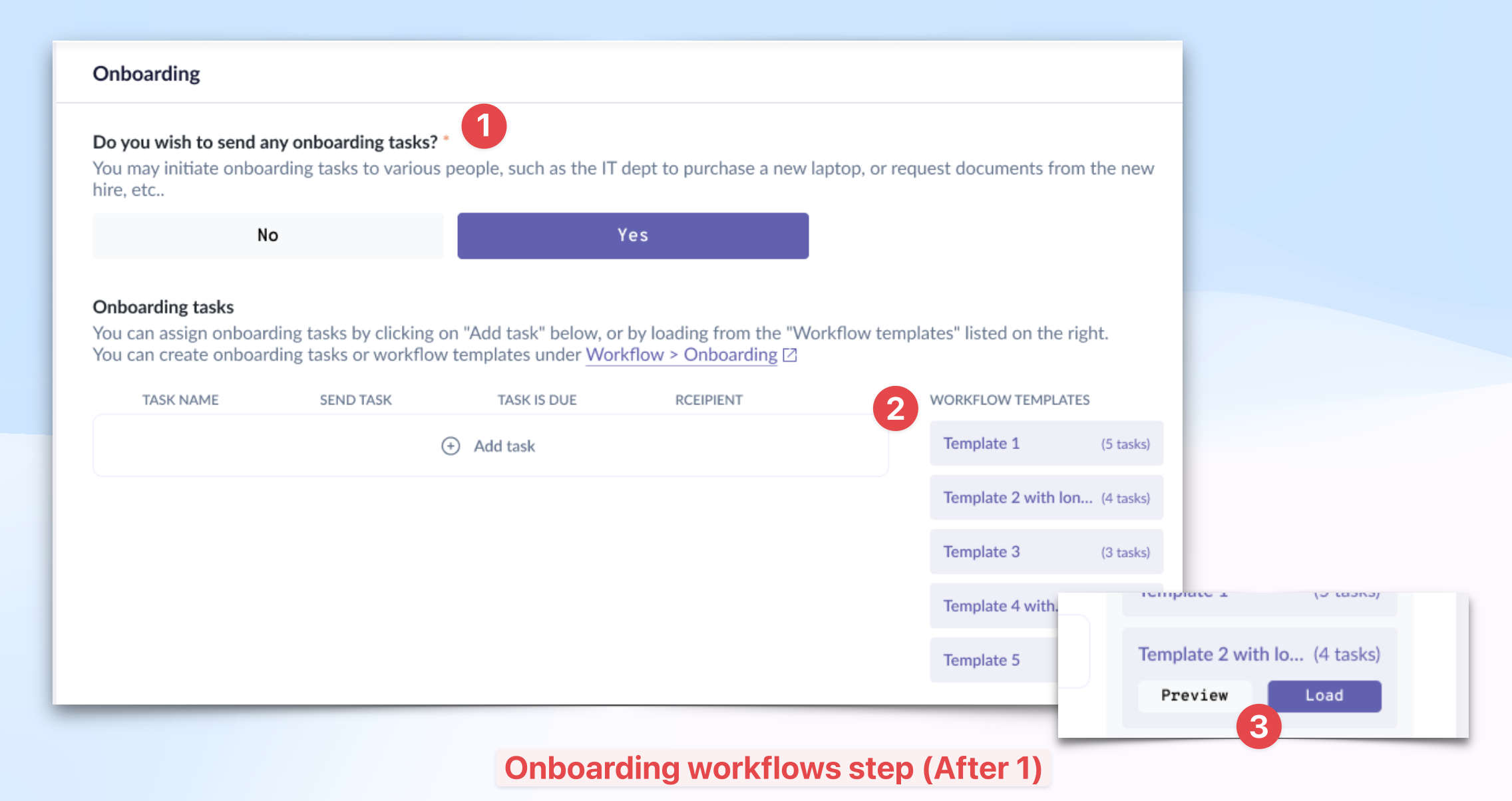
Lofi redesign 1:
- For this step, we first added a question asking if the admin wishes to send onboarding tasks for this new hire. If Yes, then system will display the next section below for the admin to add tasks.
- We brought the templates to the front, and added muted background color to bring some attention to the right side. Templates with long names are truncated so they can see the # of tasks they have.
- When the admin clicks any of the templates, 2 CTAs are revealed: Preview or Load. Took reference from Miro’s templates library where we can preview the details before loading.
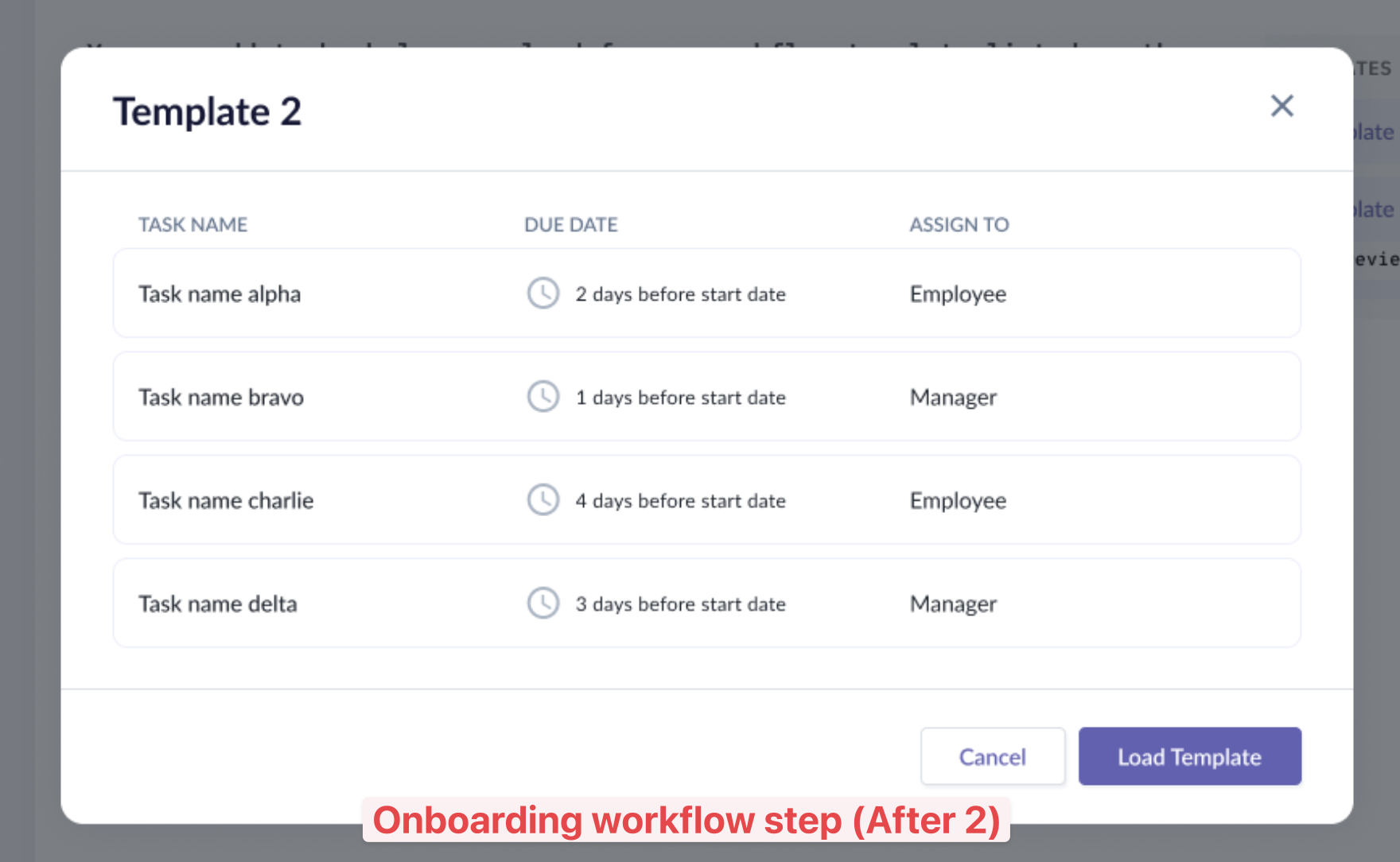
Lofi redesign 2:
When the admin clicks Preview, a modal appears with the list of tasks and their details. Once they’ve found the correct template, they can proceed to load it to the tasks list.
Summary step
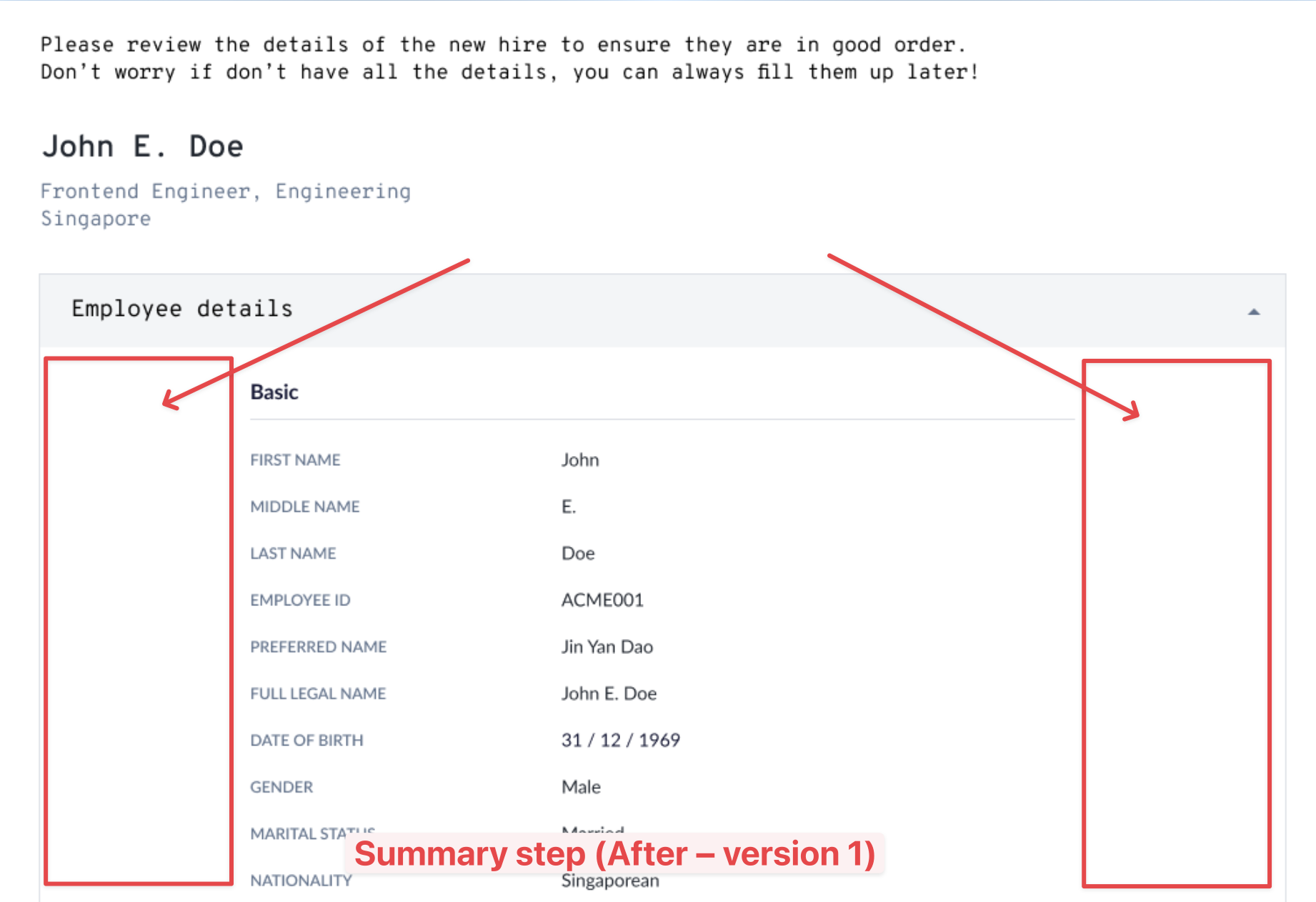
Lofi redesign 1:
The initial idea was to display each section in accordion components. The details were center-aligned with lots of whitespaces at both sides. But it seemed like wasting lots of valuable real estate.
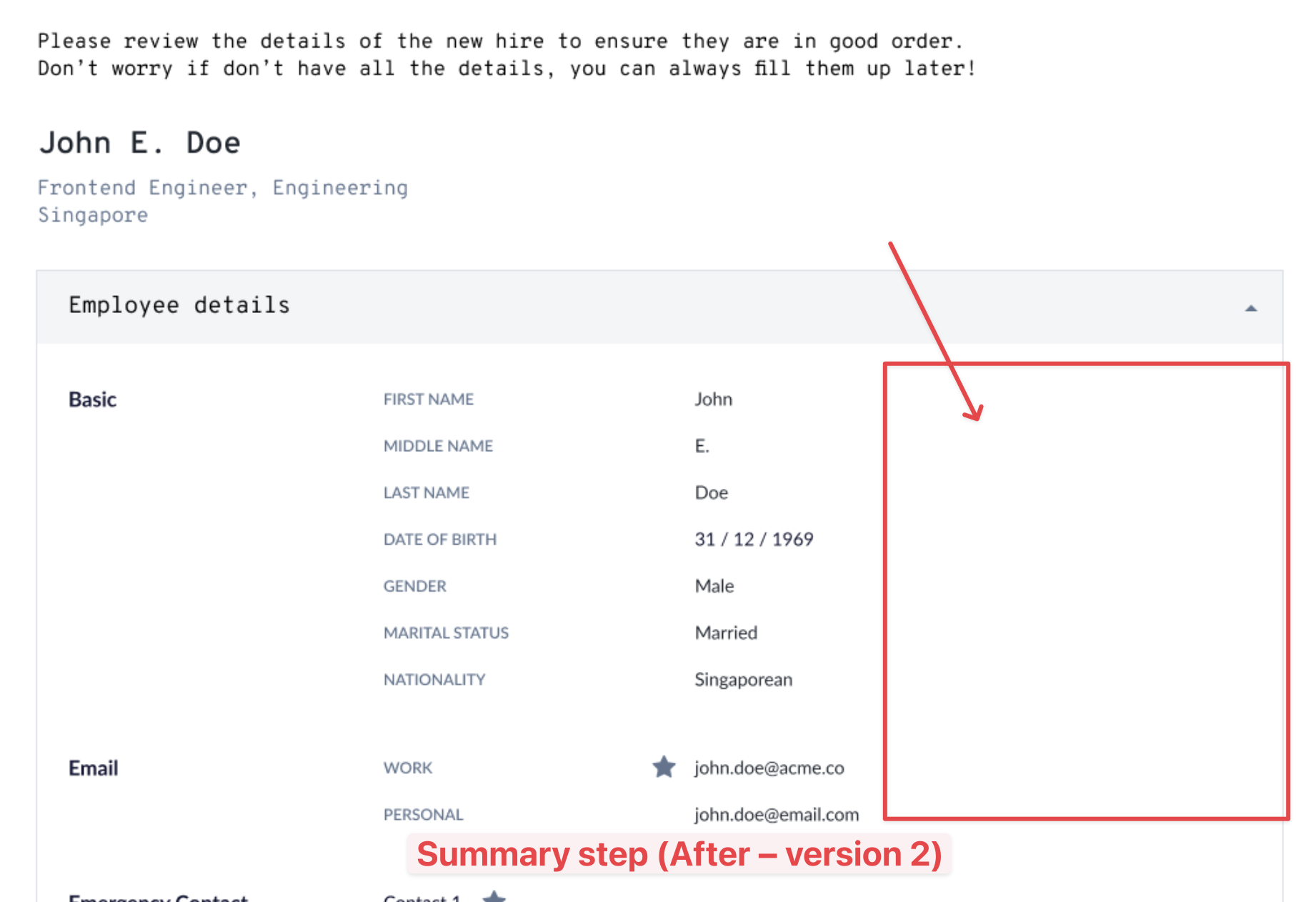
Lofi redesign 2:
In version 2, I moved the section header to the space on the left. I kept the space on the right empty because there were instances where tables are required (see below).
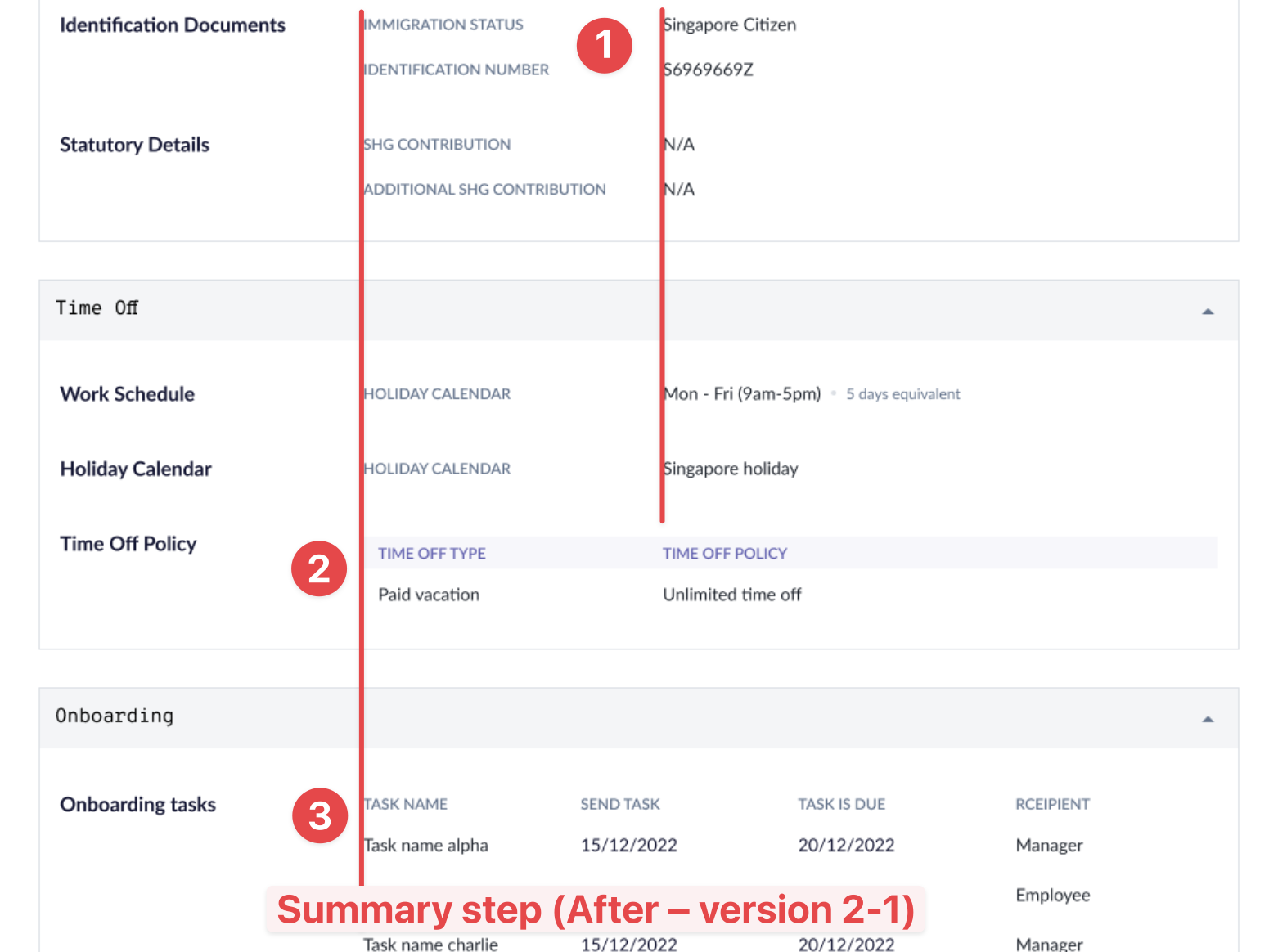
In most cases, we would have the labels and values displayed in 2 cols (1). In some sections where they had multiple rows of data to be displayed (2) (3), then table format is required. This was where they would utilize the space on the right.
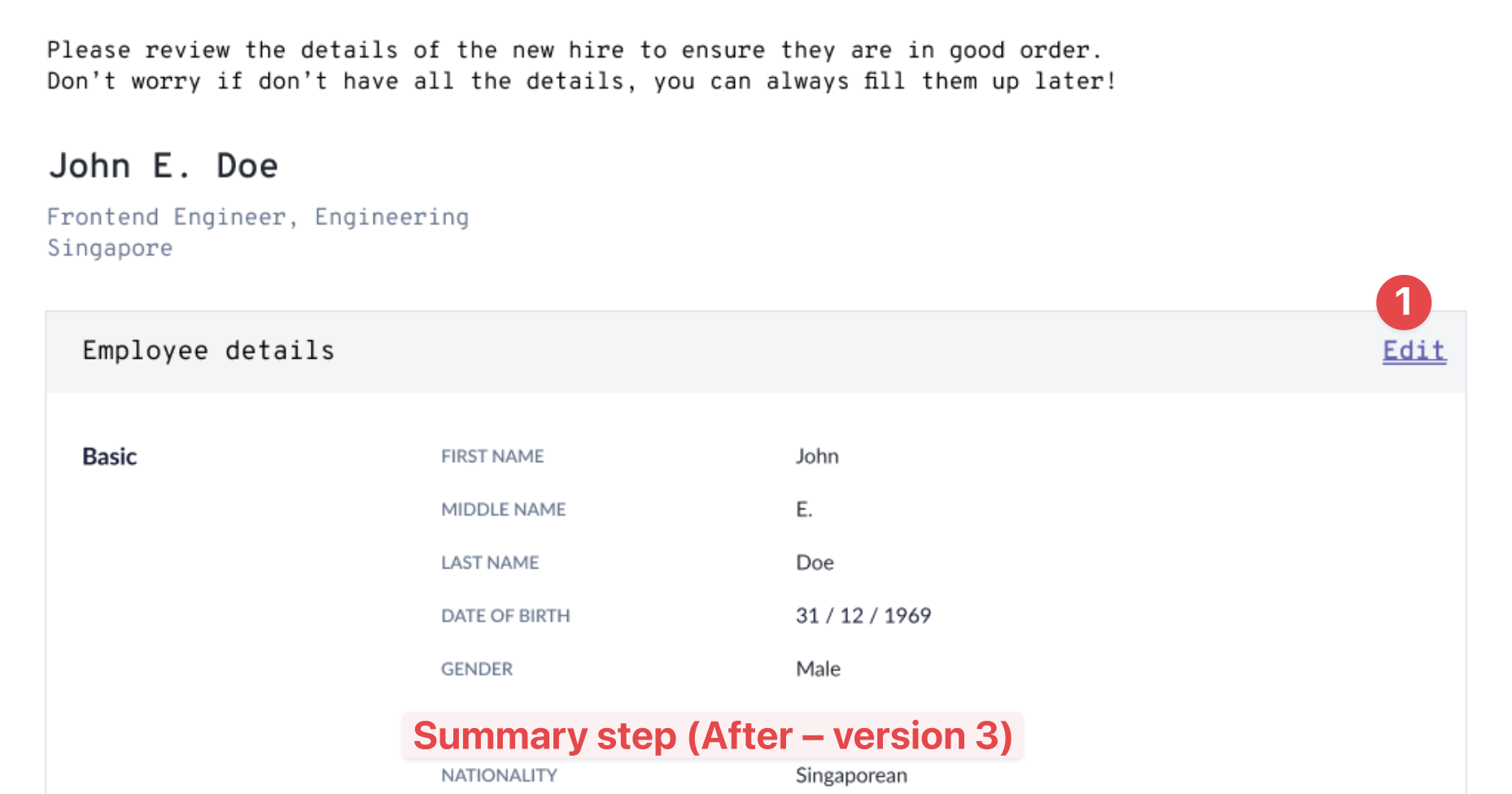
Lofi version 3:
I decided to scrap the accordion component as the feedback was that people hardly expand or collapse the sections.
Instead, they were asking about correcting the values during reviewing.
We changed it to an Edit link which brought the admin back to the step where this section was located.
STEP 3
Final Design
Our final design improves the whole experience of adding a new employee:
- Multi-step process that gives admin clear indication of progress;
- Quicklinks to relevant sections and also acts to indicate length of form;
- Ability to enrol new employee to payroll directly;
- Admin can preview workflow templates to see tasks before selecting;
- Admin can preview all data entered at final step before confirming the action.
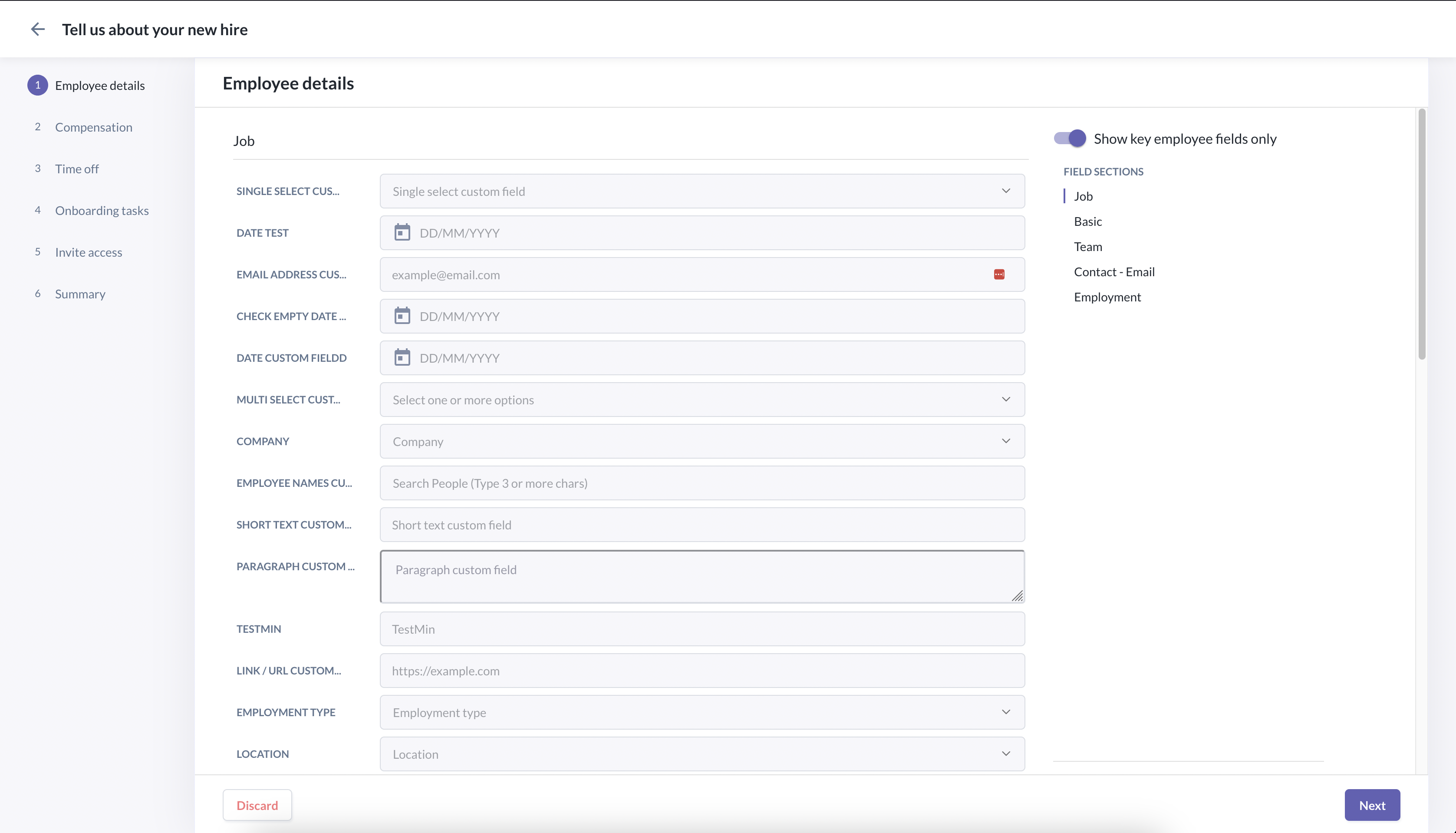
Step 1: Employee details
Clicking on the section quicklinks (Video)
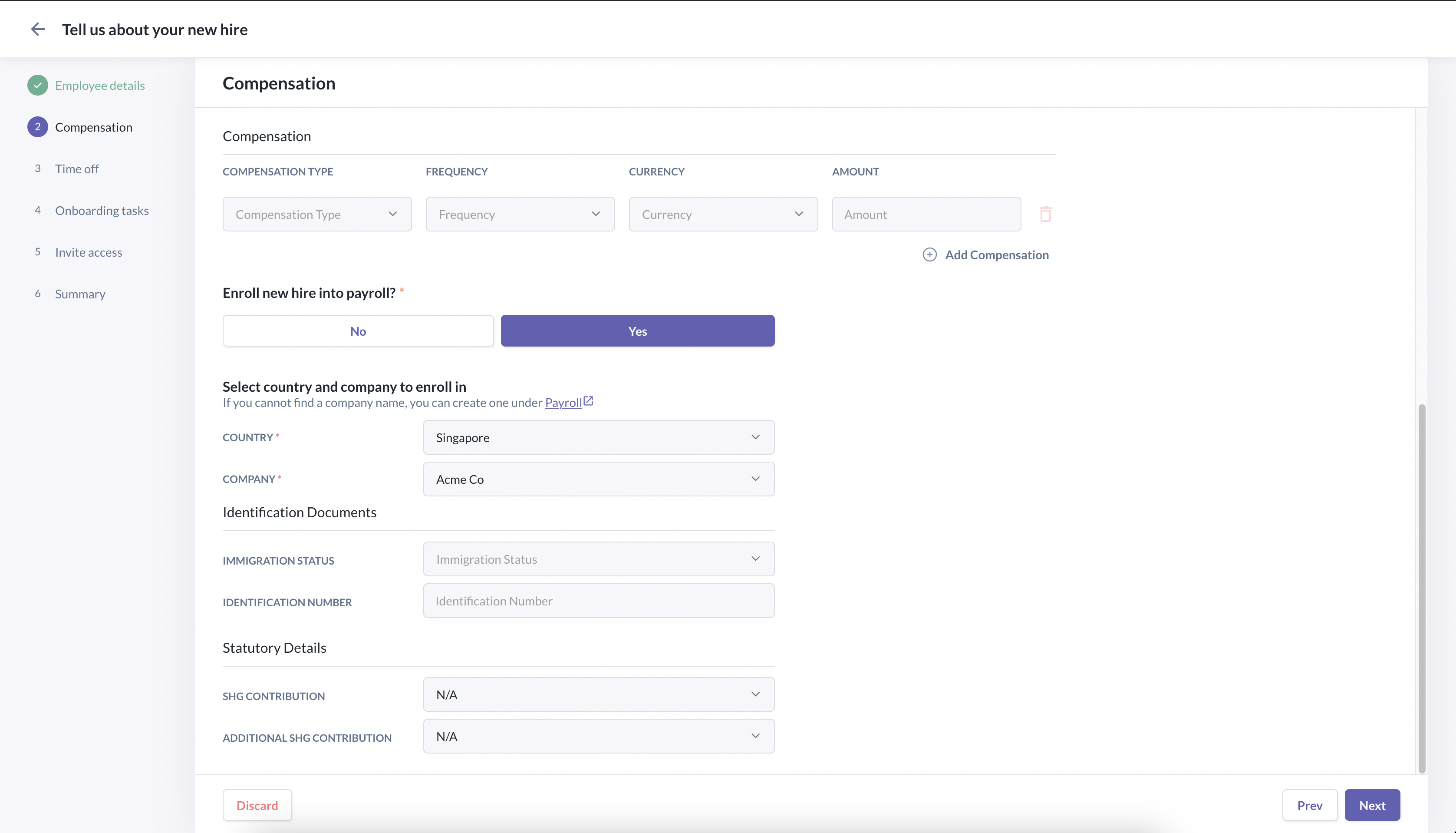
Step 2: Compensation
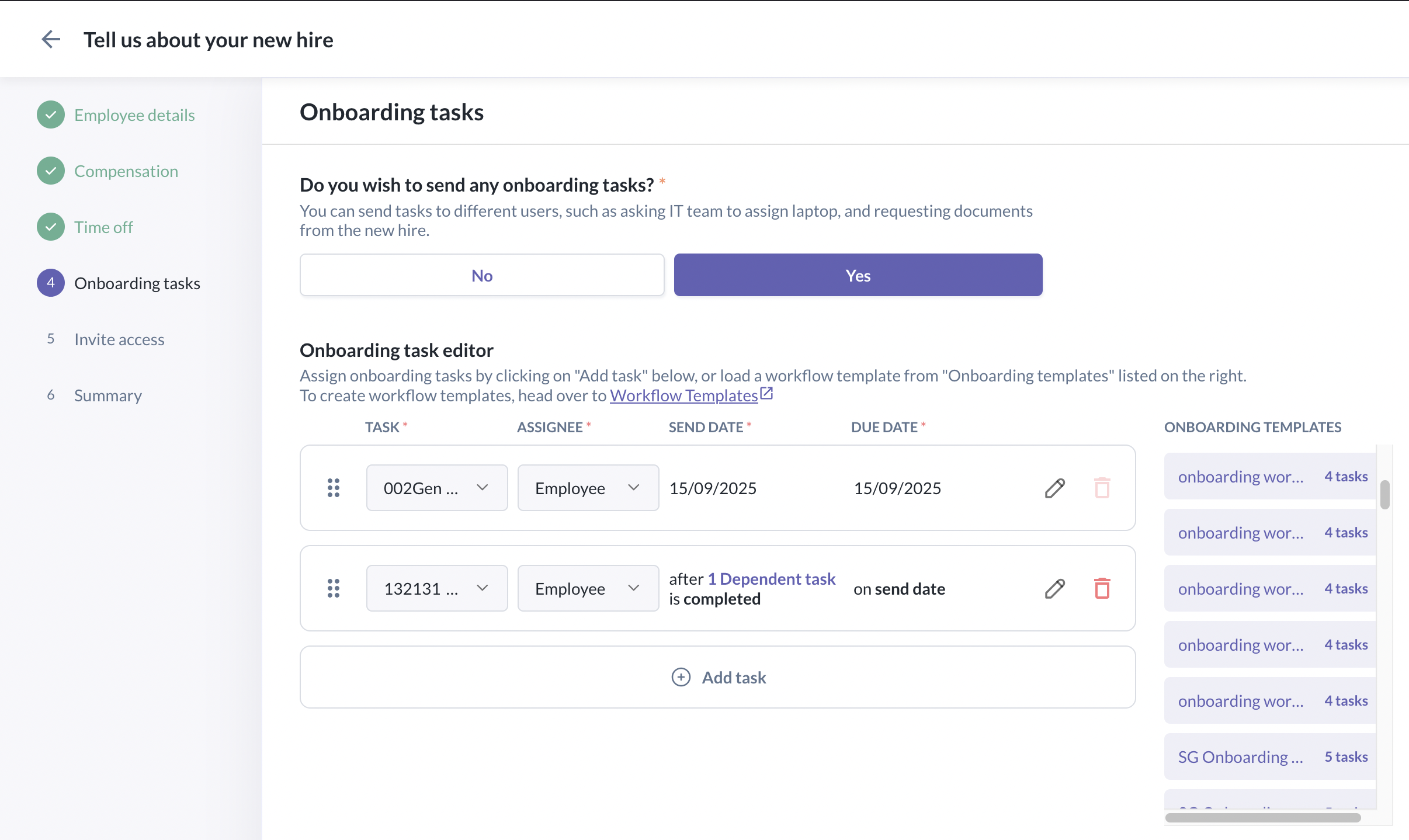
Step 4: Onboarding tasks
Previewing a workflow template and loading it (Video)
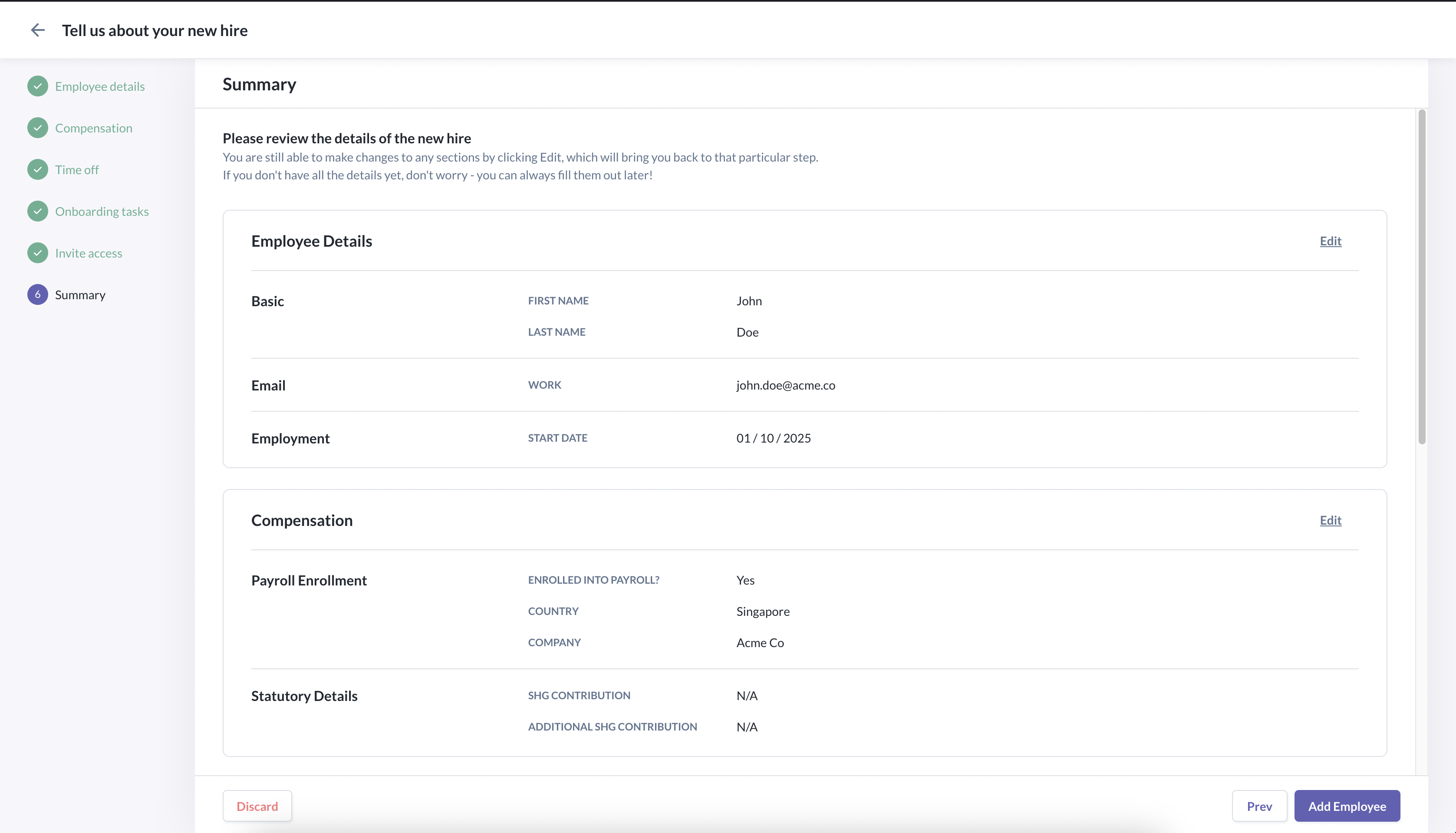
Step 6: Summary
Previewing the summary and editing a section (Video)
Lessons Learned
1. Underestimated the complexity of skipping the steps
When we designed the Edit flow for the last step, we assumed that the admin is able to jump quickly back to the Summary step. The dev discovered that it was technically challenging to implement it.
Eventually, we decided to scrap the idea and have the admin click through all the steps to reach the last one, even if she was editing fields in step one.
2. Pre-select or pre-fill fields that could be implied in certain situations
By understanding deeply the interdependencies, we were able to pre-select or pre-fill certain fields, and, as a result, the admin need to fill up less fields. This also means less time required to complete this flow.
3. Reduce scope by deprioritising the integration with Automated Tracking System (ATS).
The stakeholders wished to see if we were able add to the scope the integration with our new ATS app.
There were a couple of implementation challenges and unknown to be sorted out within a short timeline, so we eventually deprioritised it.
Next Project >>